
How do time zones work on the platform?
Our time zone tool makes it simple to arrange lessons with students anywhere in the world.
When you create your account, your time zone is automatically detected and saved. All your lesson times are shown in your saved time zone, while students see them in their own saved time zone so there’s no need to convert times yourself.
How can I tell what time zone my calendar is in?
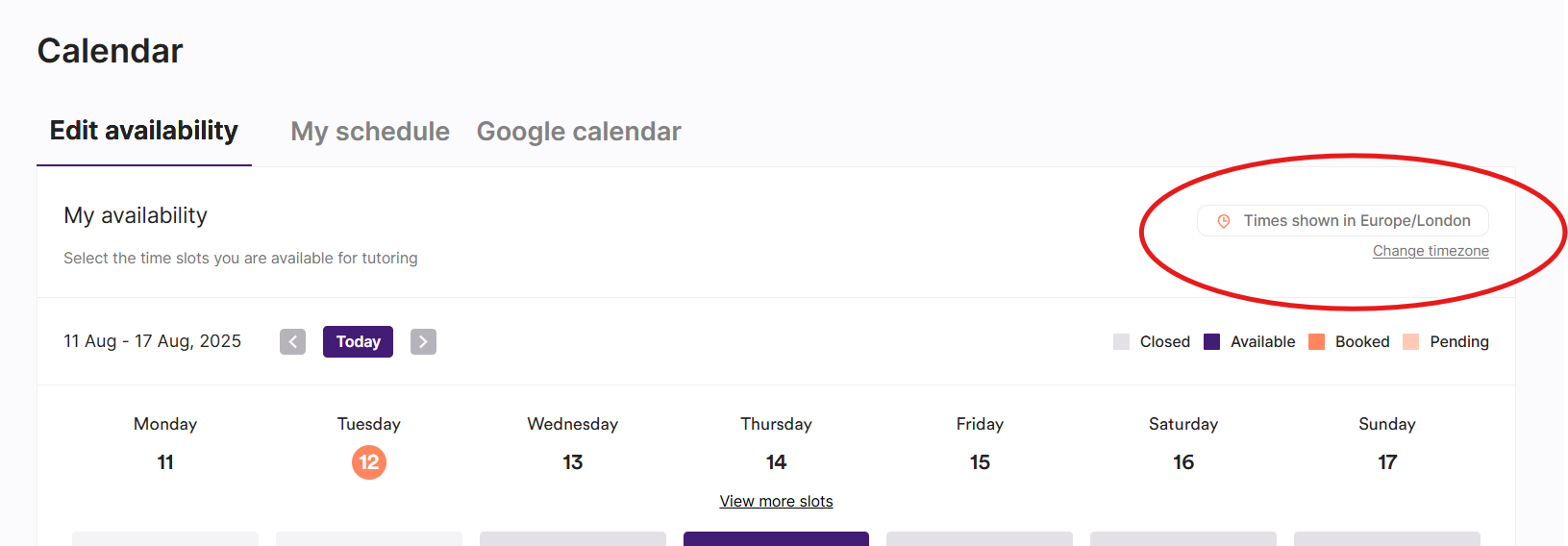
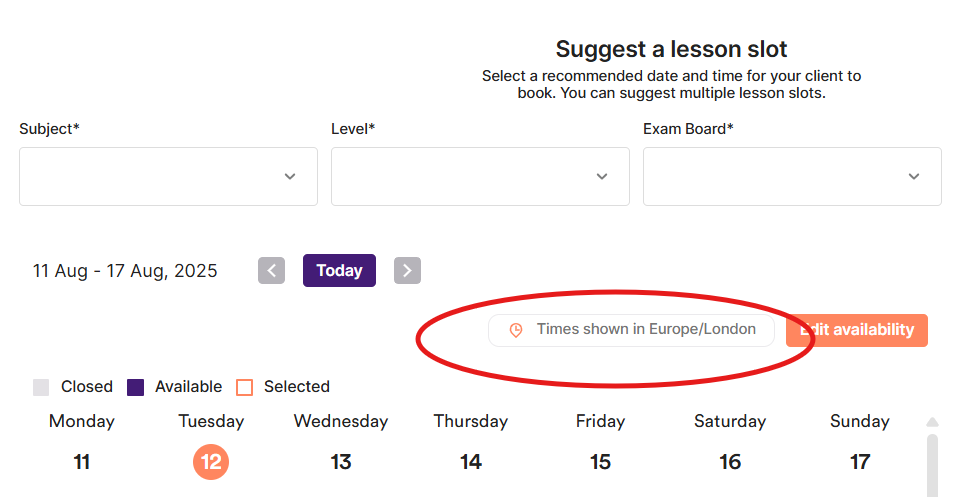
You can see your time zone above your calendar in various places on the tuition platform, such as when editing your availability or suggesting a lesson:
How is my time zone set and how can I change my time zone?
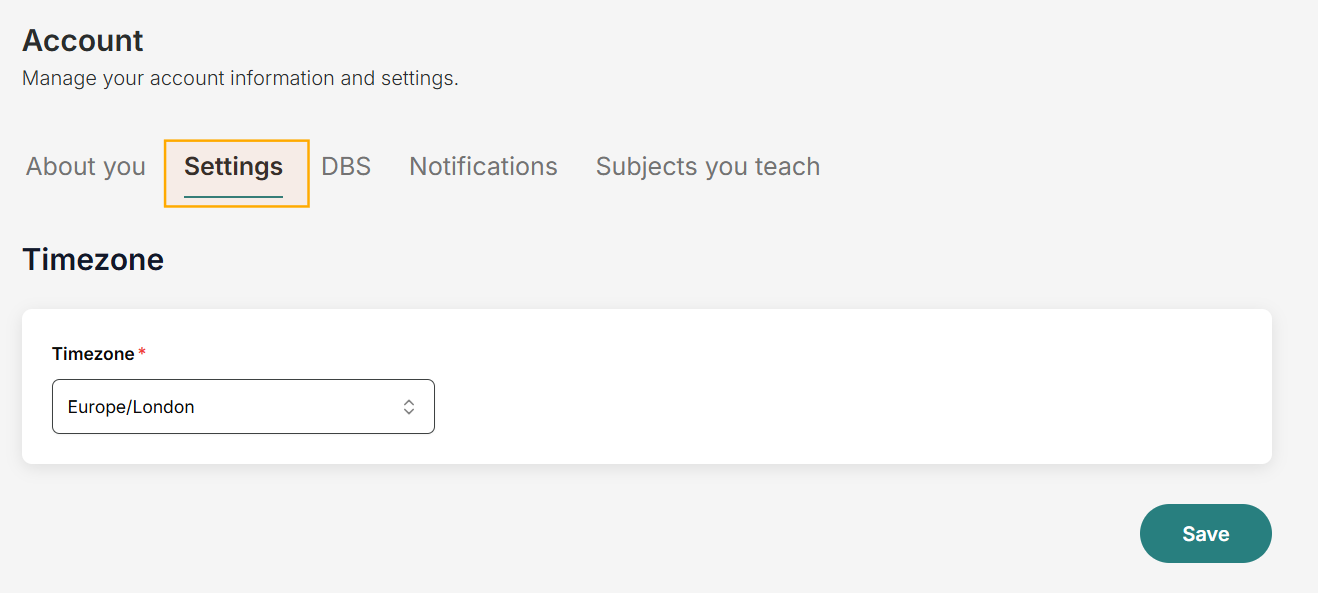
Your time zone is automatically detected when you first create your account.
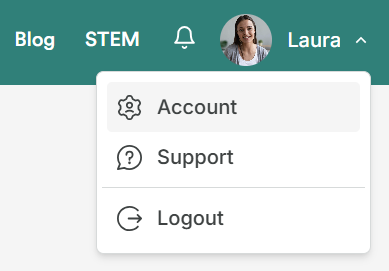
If you need to change it (for example, if you move to a different location or you're travelling), go to Account and head to your Settings.
How does time zone information show up in the booking process?
Billpayers and students see their own time zone displayed above the calendar when requesting a lesson. All available slots are shown in the time zone displayed.
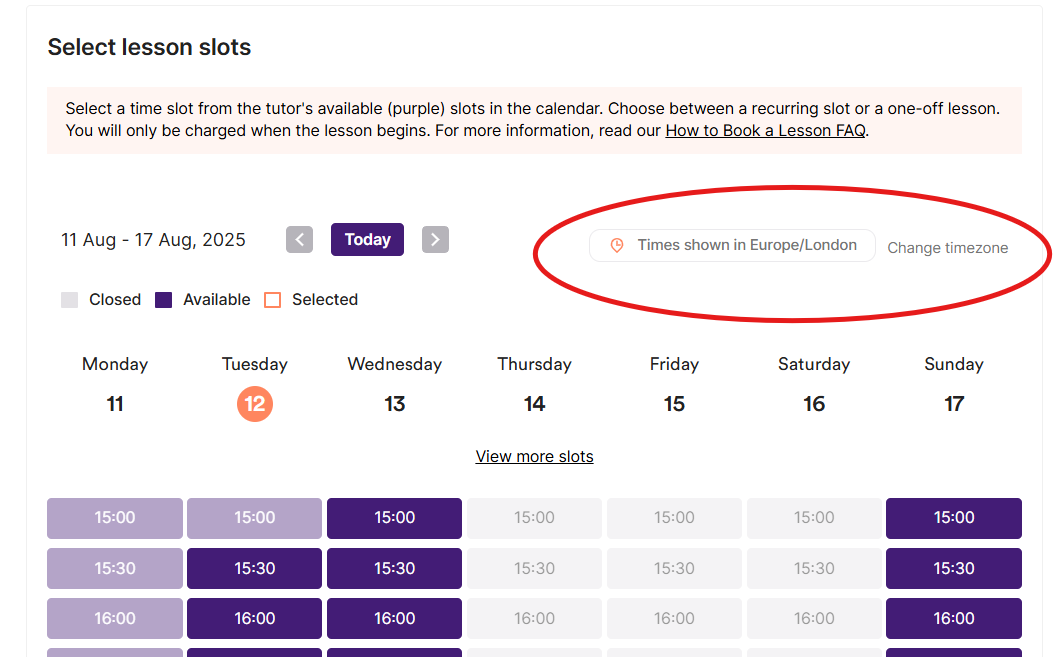
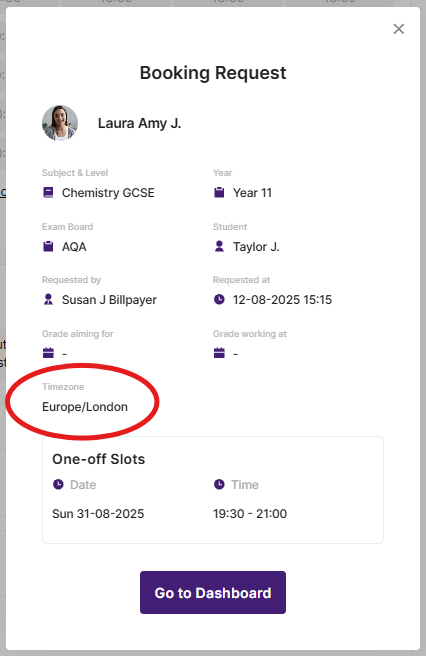
Once they’ve chosen times, their time zone also appears in:
The Booking Request Summary
The Booking Request box
Subsequent booking emails
This ensures there’s no confusion about when a lesson is taking place.
You can read the information we provide Billpayers and Students about their time zones in this FAQ.