I can't hear my student or my student can't hear me
If you cannot hear your student, or your student cannot hear you, please try the following steps before ending the lesson.
First, ask your student to refresh the page and rejoin the Space. This resolves most audio issues.
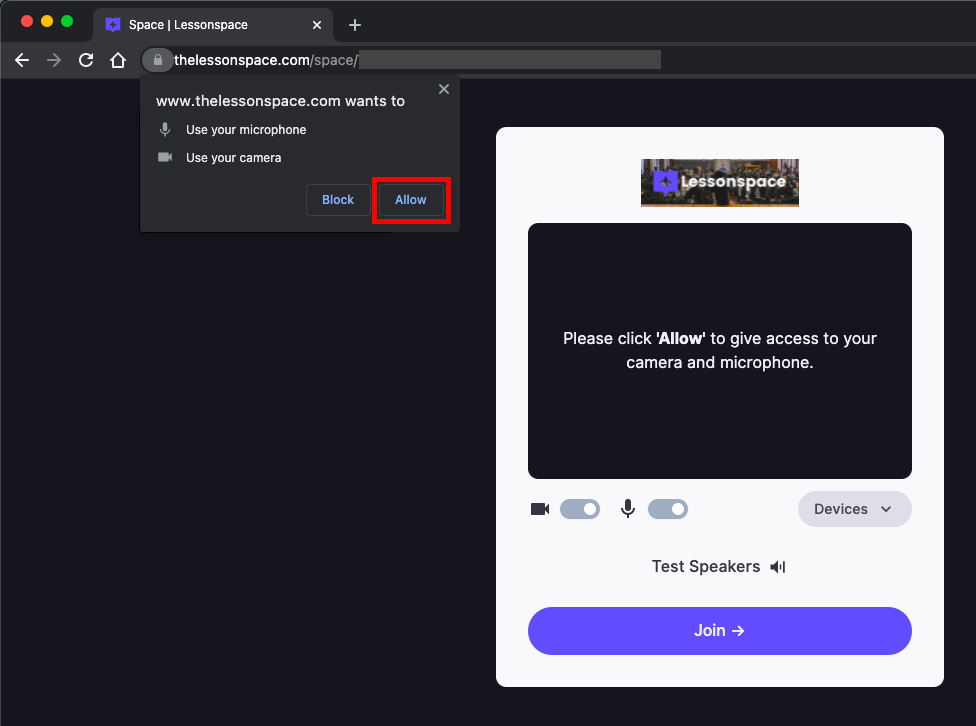
When joining the Space, make sure you click Allow when your browser asks for permission to access your microphone and camera. Ask your student to confirm they have also clicked Allow.
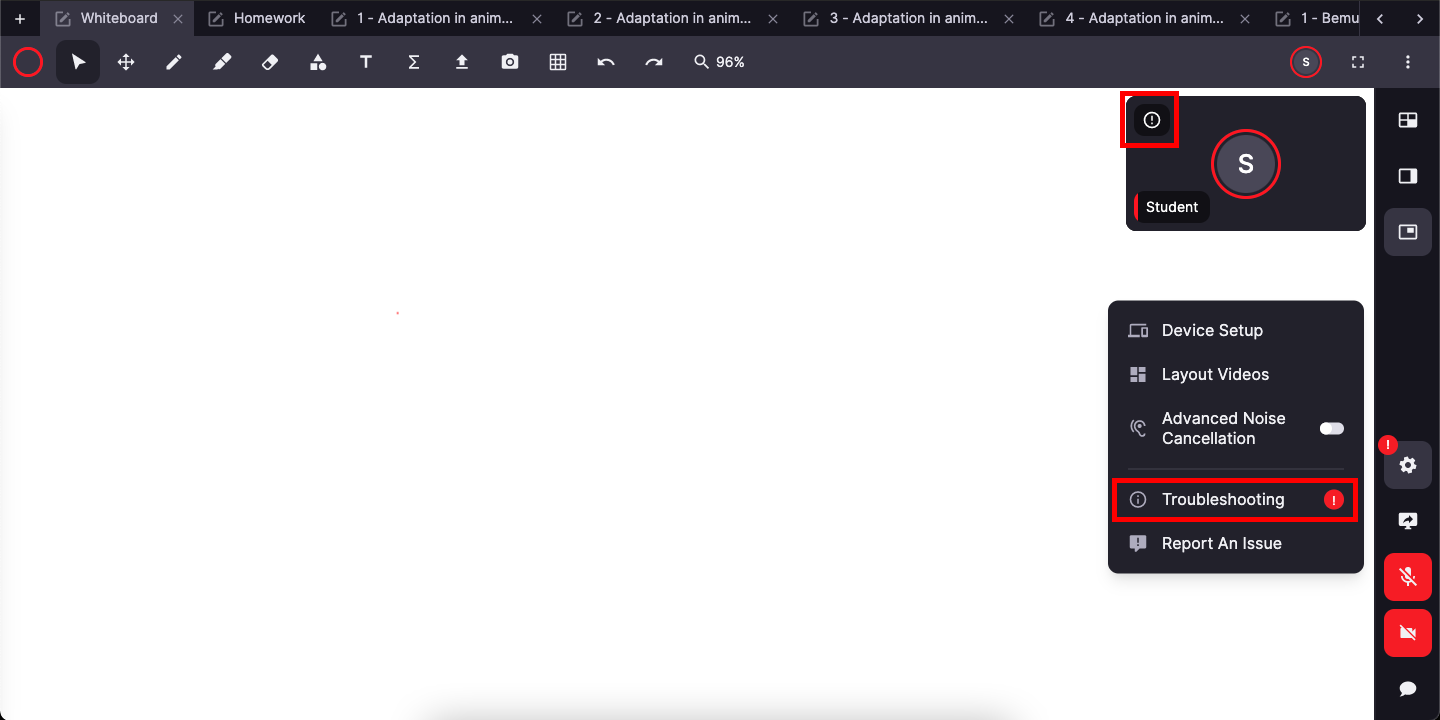
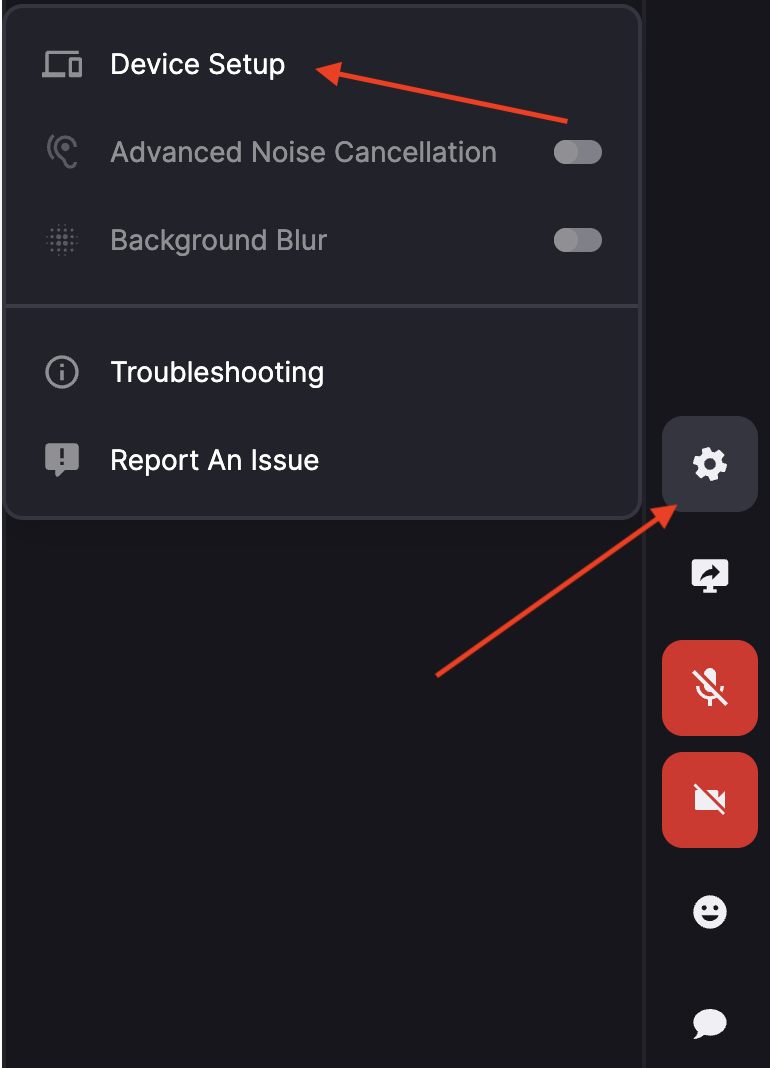
Open the Troubleshooting menu in Lessonspace and check for any warnings or prompts. You can also see whether others in the Space are experiencing issues.
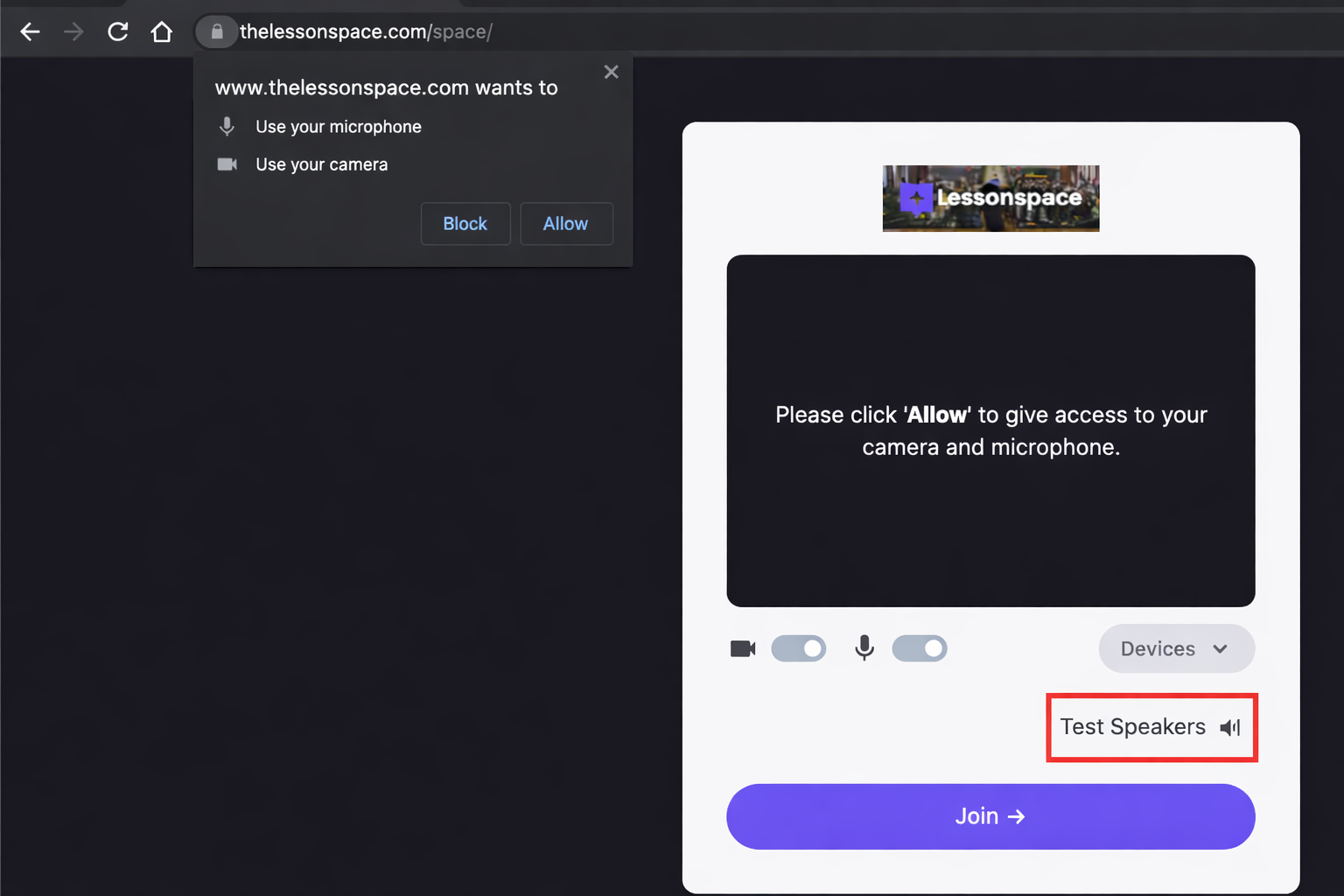
To check whether your speakers are working correctly, you can also use the Test Speakers option within Lessonspace.
Check that your microphone or headset is not muted. Also check your browser tab - if you see a muted speaker icon on the tab, click it to unmute the website.

Open the Device Setup menu and try selecting a different microphone or speaker from the list.
After making any changes, refresh the page and rejoin the Space.