
There is background noise during my lesson
Edited
If your student mentions echo, static, typing sounds or background noise during a lesson, you can enable Advanced Noise Cancellation in Lessonspace.
Open your Space and click Setup.
In the audio settings, turn on Advanced Noise Cancellation.
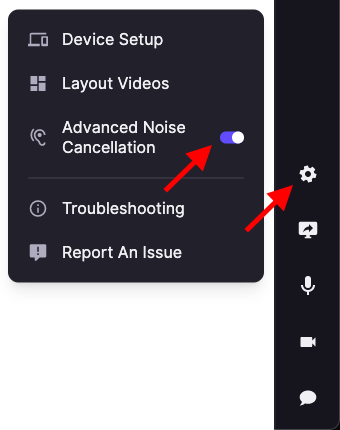
This will automatically reduce background sounds such as typing, traffic, or room noise and help improve audio clarity during your lesson.
If the issue continues, check that you are using headphones and that your microphone is not positioned too far away.
background
noise
lessonspace
troubleshooting