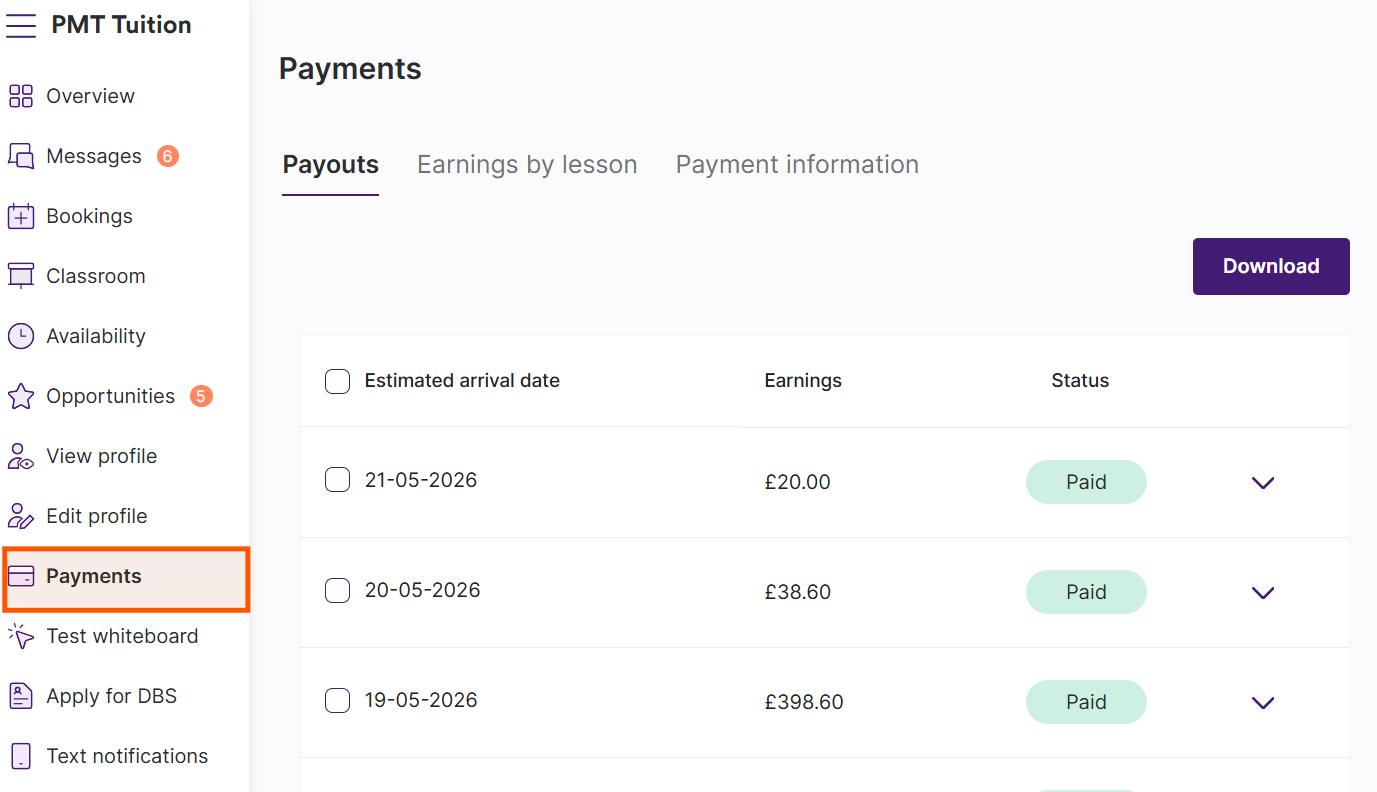
How do I keep track of my payments?
Keeping track of your payments is easy. Just go to your Payments and you'll be taken straight to your Payouts.
Payouts
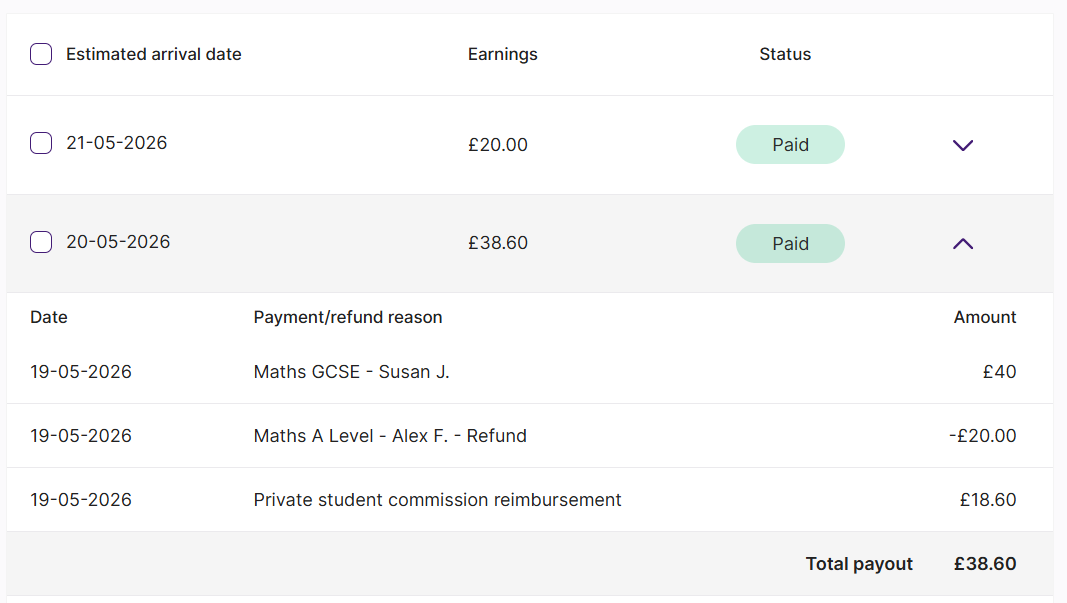
Payouts show the money that has been transferred to your bank account. The total includes any adjustments, such as refunds or private student reimbursements.
These figures come directly from Stripe, our payment processor, and are the amounts you should use for tax records.
Expand each payout using the dropdown to view individual lessons or reimbursements that makes up a payout.
Exporting your payouts
You can use the checkboxes to export individual payouts to a Microsoft Excel file.
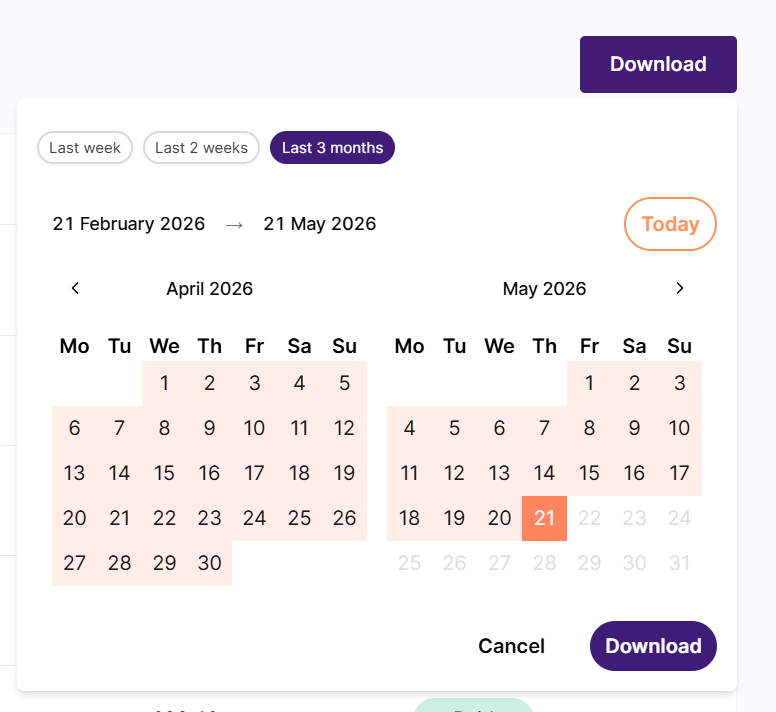
If you'd like to export a custom range, click the Download button and choose the period you'd like to export.
You can export up to 3 months of payouts at a time. The selection will default to the last 3 months of payments.
Earnings by lesson
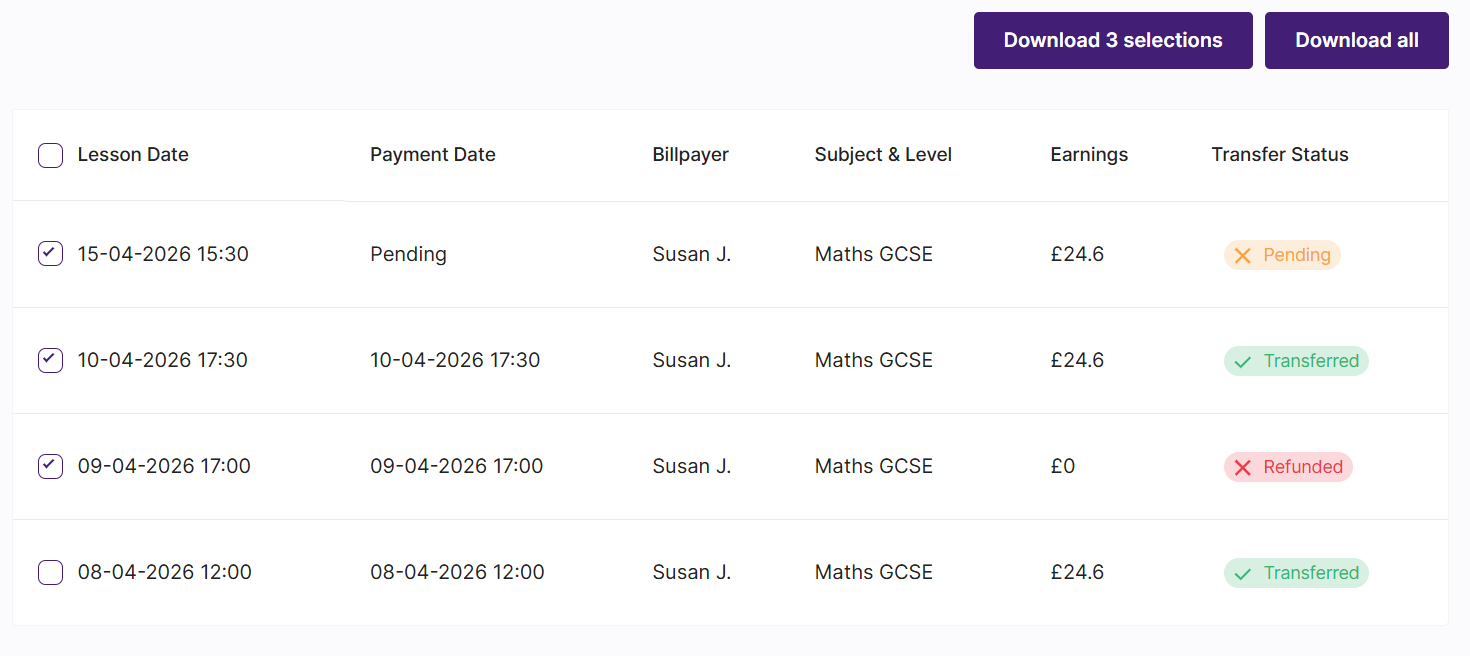
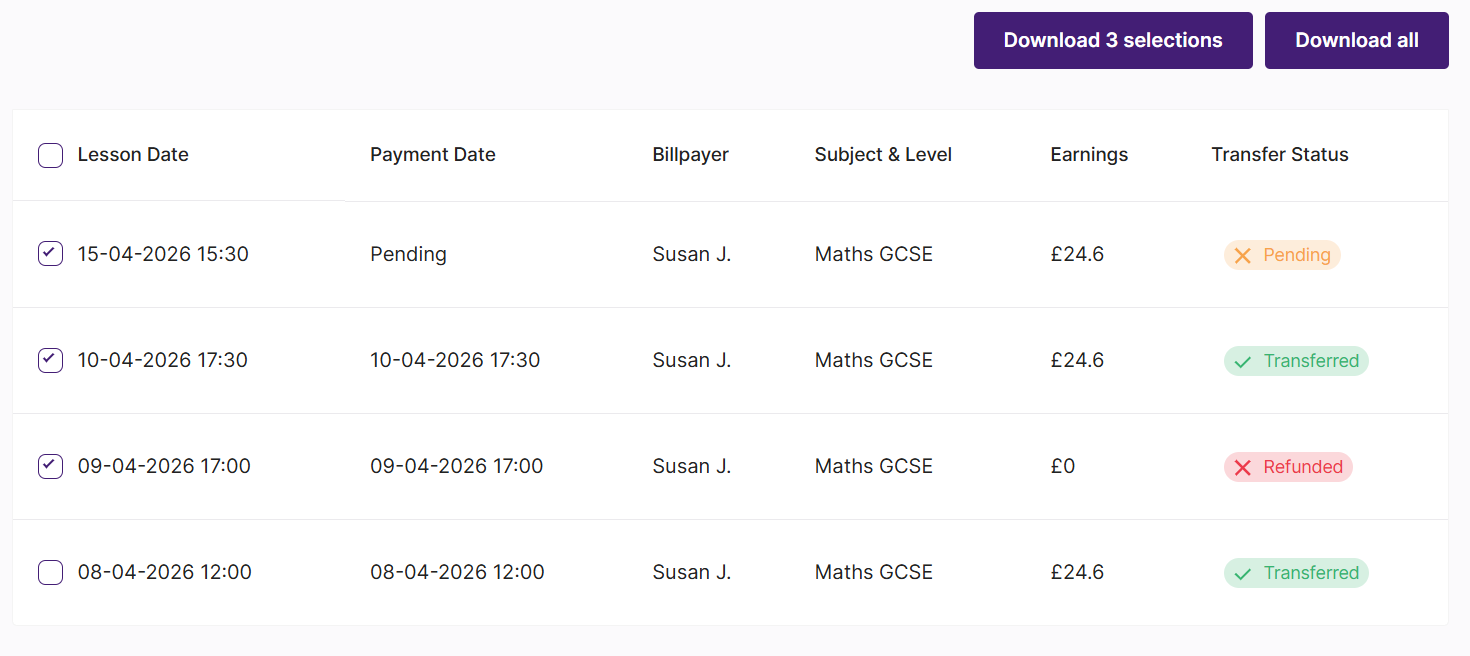
Here, you’ll find all previous and pending payments for lessons that have taken place, including any refunded lessons.
You can see how much you’ll be paid after the 18% platform fee has been deducted in the Earnings column. You’ll also be able to view the status of your payment in the Transfer status column.
Exporting your transactional history
You can easily export your transactional history by clicking the ‘Download all’ button in the top right of the page.
You’re also able to export specific lessons by selecting them on the left and choosing to download those selected lessons only.