The Whiteboard is lagging or delayed
If the whiteboard feels slow, delayed or out of sync during your lesson, this is usually caused by internet connection or device performance.
Connectivity issues
Whiteboard lag is often due to an unstable internet connection.
Check that you are connected to a stable Wi-Fi network. If your connection is weak, try moving closer to your router or disconnecting other devices that may be using the internet. If possible, use a wired connection.
Make sure you are using the most recent version of your browser, as older versions can affect performance.
Drawing lag when using a graphics tablet
If the delay only happens when you are writing on the whiteboard with a graphics tablet, this may be related to browser compatibility.
Lessonspace works with most major writing tablet brands, but performance can vary depending on your browser. If your tablet connects wirelessly, ensure your internet connection is stable. If possible, try connecting your tablet using a cable instead of Bluetooth.
I am not seeing the same part of the whiteboard as my tutor
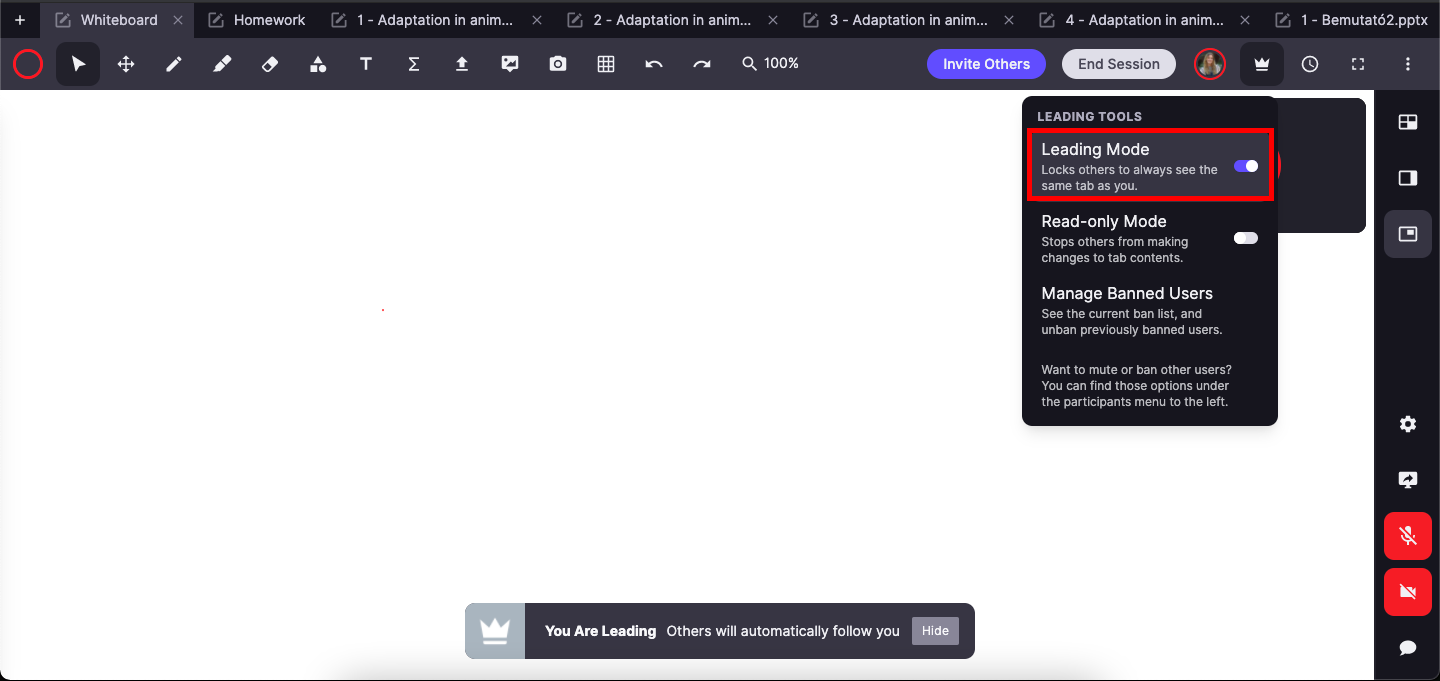
If you cannot see the same area of the whiteboard as your tutor, you can ask them to enable Leading mode so your view follows theirs.
Please note that if you are using a device with a different screen size or resolution, the whiteboard may look slightly different on your screen.