How do I view lesson recordings?
Every lesson on the platform is automatically recorded through Lessonspace for safeguarding and quality assurance. Recordings are typically available within 24 hours in that lesson’s corresponding Classroom.
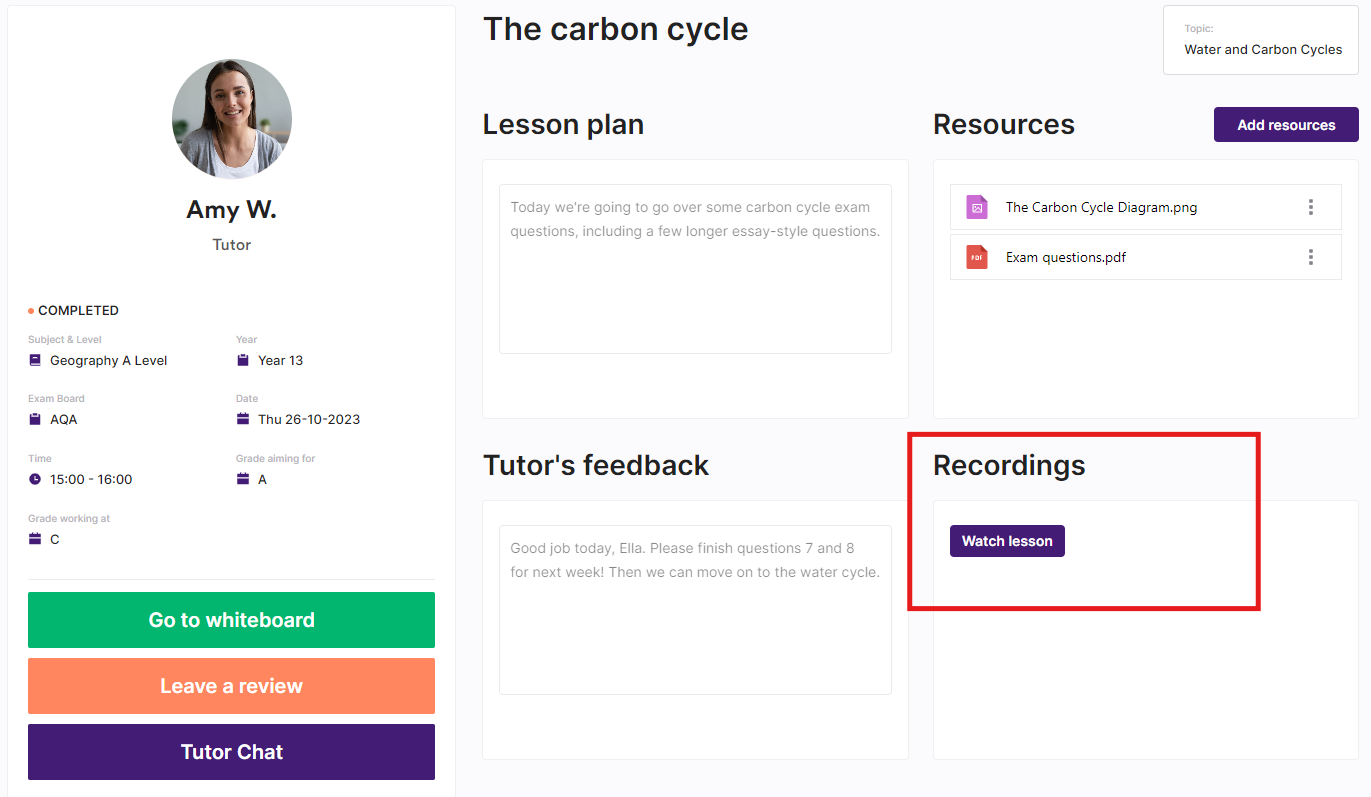
To watch a recording, simply open the classroom and click 'Watch lesson' under the Recordings section. Students can privately stream their lessons whenever they need to recap or revise, and billpayers can also view recordings if they wish to stay updated on progress.
Here's a few things to keep in mind when viewing lesson recordings:
Recordings can only be streamed – They can’t be downloaded, saved, or shared outside our platform.
Adjust the playback speed – You can change the speed of the recording to revisit material at your own pace.
Press play before skipping ahead – Let the video run briefly before jumping forward to help the recording load smoothly.