
What’s the difference between a student account and a billpayer account?
For tuition on our platform, there are two types of accounts: billpayer accounts and student accounts.
A billpayer can either take lessons themselves or book lessons for someone else by adding them as a student.
If you add a student, your billpayer account oversees their lessons and manages payments. By default, billpayers have full control over booking and managing lessons, while students attend the lessons that have been booked for them.
Billpayer accounts also include a few additional features:
The billpayer dashboard: Both account types have a dashboard, but the billpayer dashboard provides a full overview of everything in one place. This includes payment history and methods, lesson bookings, and an overview of each student’s lessons.
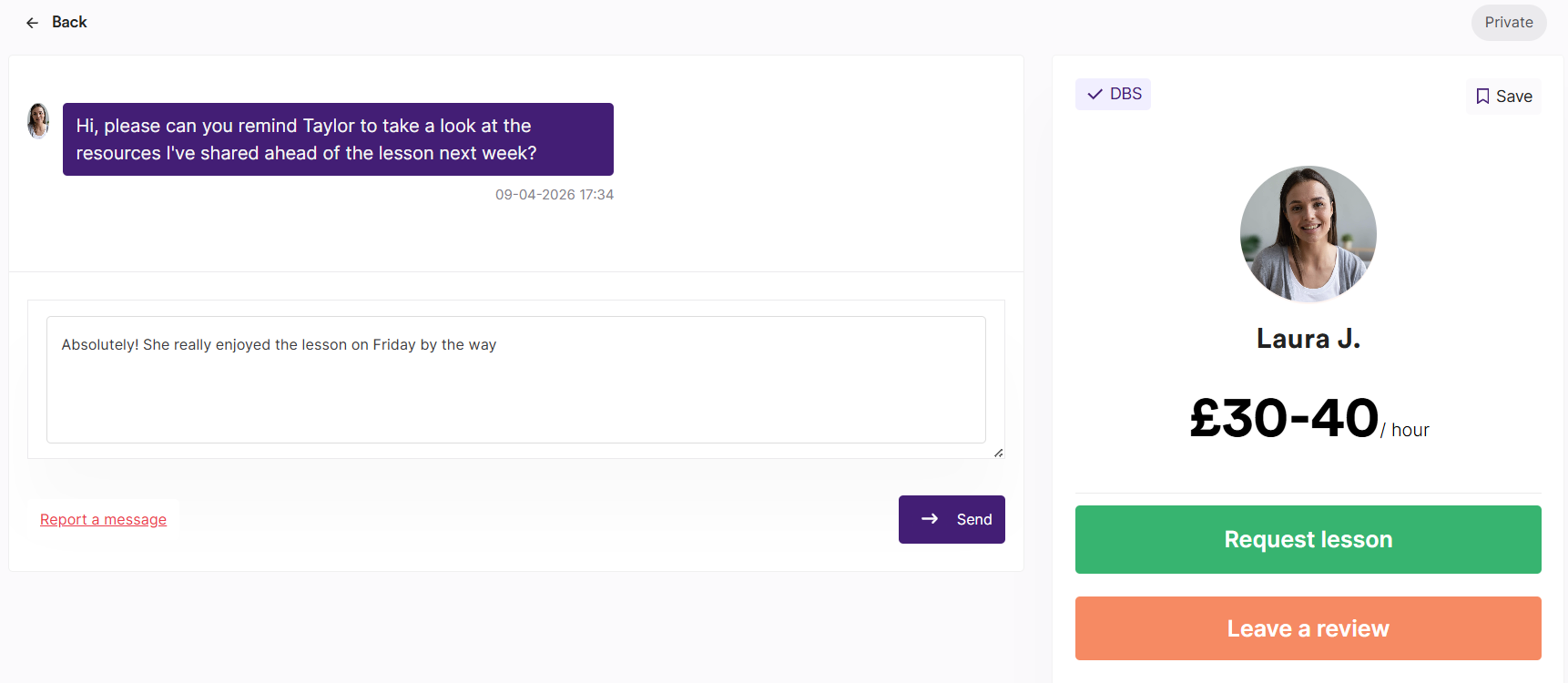
Billpayer/tutor chat: Alongside the group chat, billpayers have private chats with each tutor. This can be used to share feedback or raise anything you’d prefer the student not to see. Student accounts don’t have access to these private chats.
Giving students control over lessons
If you’d like your student to have more control, you can update their permission settings to allow them to book and manage lessons from their own account. For more information, see our FAQ on limited and full student accounts.