
New: What’s changed with lesson suggestions for tutors?
We’ve updated how tutors suggest lessons on the platform, making it easier to manage bookings and reduce back-and-forth with clients.
You can now:
Send formal booking requests to clients through lesson suggestions – when a client accepts, the lesson is booked straight away with no further confirmation needed
Suggest recurring lessons as a tutor – quickly suggest a block of weekly lessons
Send lesson suggestions from your Bookings tab
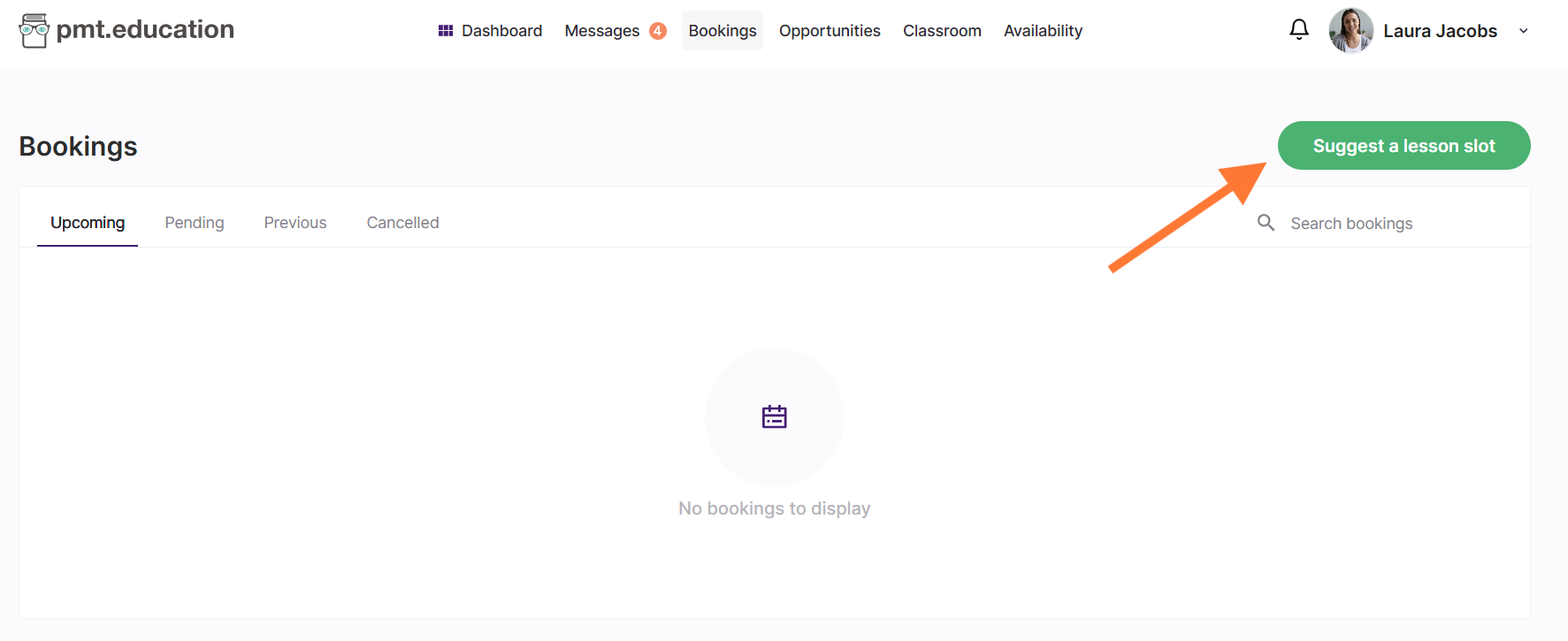
Lesson suggestions are now formal booking requests
When you suggest a lesson to a client, this now works as a formal lesson request.
This means:
Your lesson suggestion will appear in your Pending tab under Tutor suggestions, not just in the chat
Your client will also see the suggestion in their own Pending tab under Tutor suggestions
Once your client confirms your suggestion the lesson is booked – you don’t need to confirm it again
Where to find your lesson suggestions
Until your client responds, you can track your lesson suggestions in the Pending tab under Tutor suggestions.
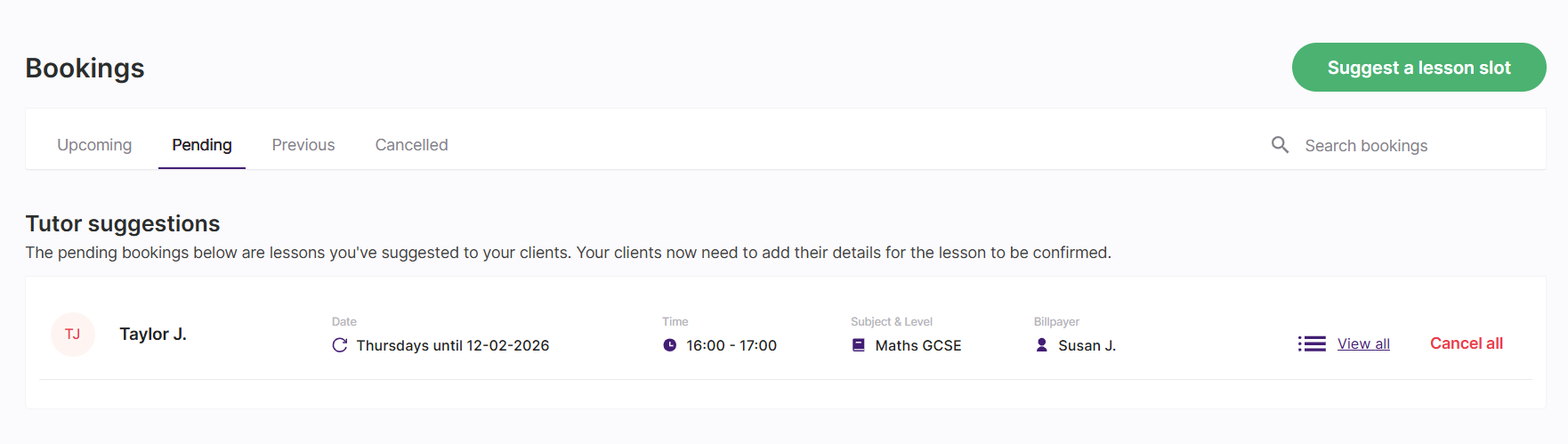
Once accepted, the lessons will move to your Upcoming bookings and appear in your schedule as normal.
You can now suggest recurring lessons
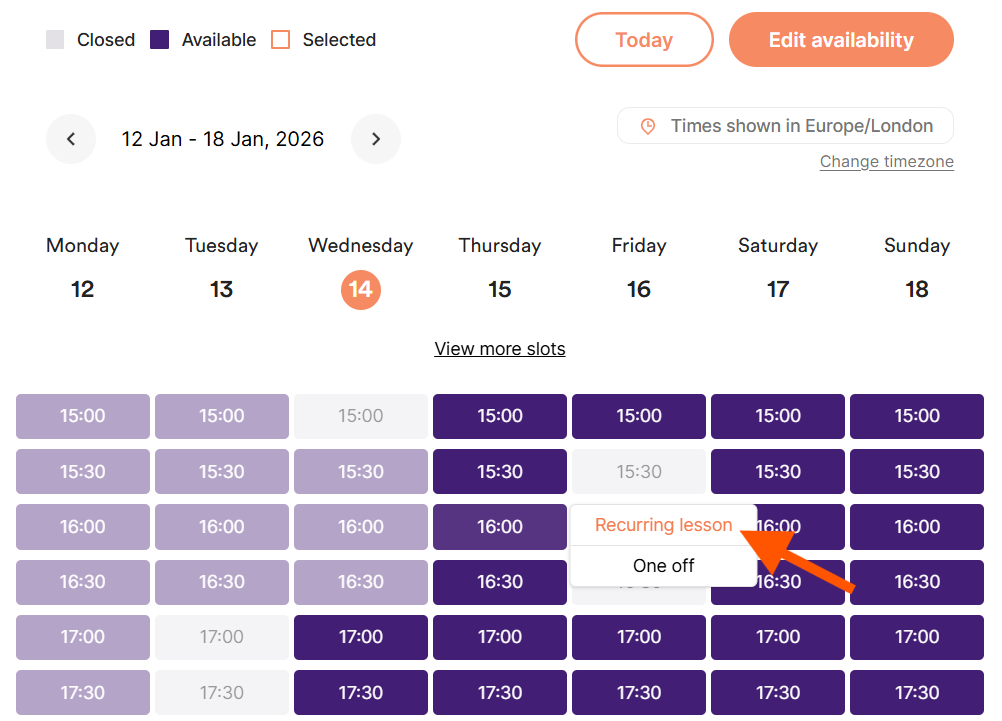
You can now suggest recurring lessons. After selecting a time slot, choose Recurring lesson instead of a One off lesson.
You’ll then be prompted to set how long the lessons should run – either until a specific date or for a set number of weeks.
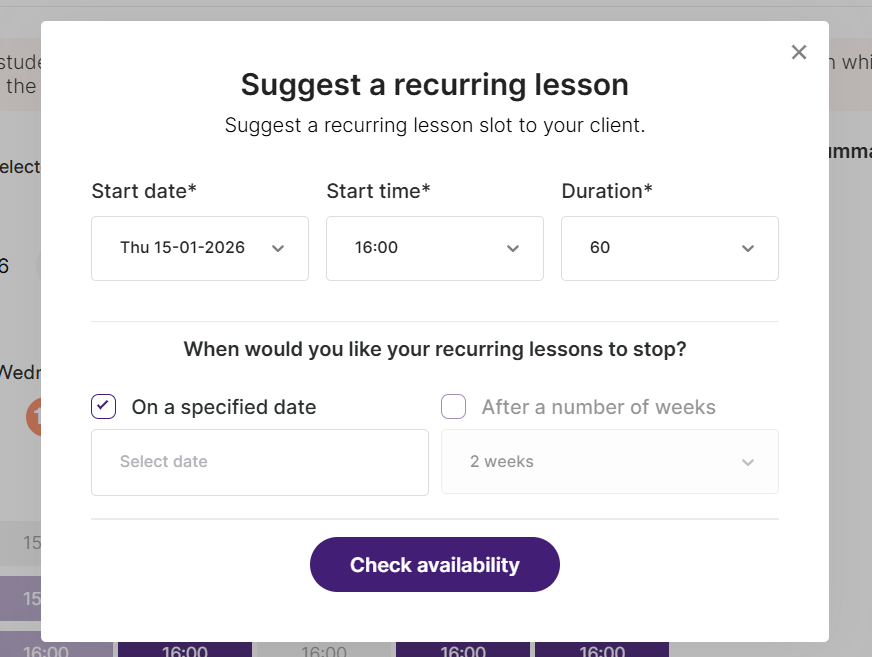
This makes it easier to secure regular bookings, maintain continuity with your clients, and keep your weekly schedule consistent – without needing to send multiple lesson suggestions or chase clients for requests.
For more detailed information about lesson suggestions, read How do bookings work for tutors?
Availability checks are built in
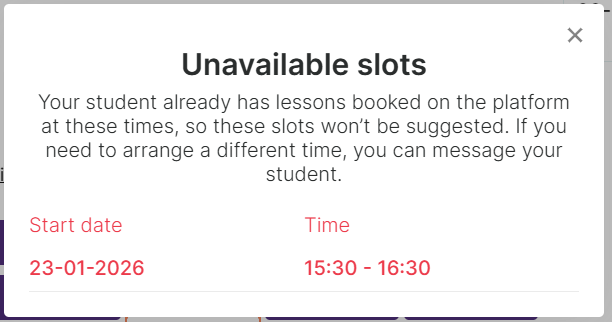
When suggesting lessons, the system will automatically check whether you or your student are already booked at that time on the platform.
If either of you aren't available, you won’t be able to suggest that slot, and you’ll be notified. This helps avoid clashes with existing bookings.
Important to note
Clients can’t suggest alternatives to a suggested time or date
If a client wants a different time, they’ll need to reject the suggestion and send a new lesson request
What hasn’t changed
You can still suggest lessons from the chat and from a student’s profile
Clients can still request lessons from you as normal
A lesson suggestion is only booked once the client confirms the suggestion (but you no longer have to reconfirm it)
Once booked, lessons can be managed from your Upcoming bookings
Learn more
To learn more about how these features work and how clients see them, see:
How do bookings work for tutors? – for detailed instructions on how to send lesson suggestions and recurring lesson suggestions
How do tutors suggest lessons for me to book? – to see how clients review and respond to suggestions
What's the difference between a lesson request and a lesson suggestion? – if you're unsure how the two work