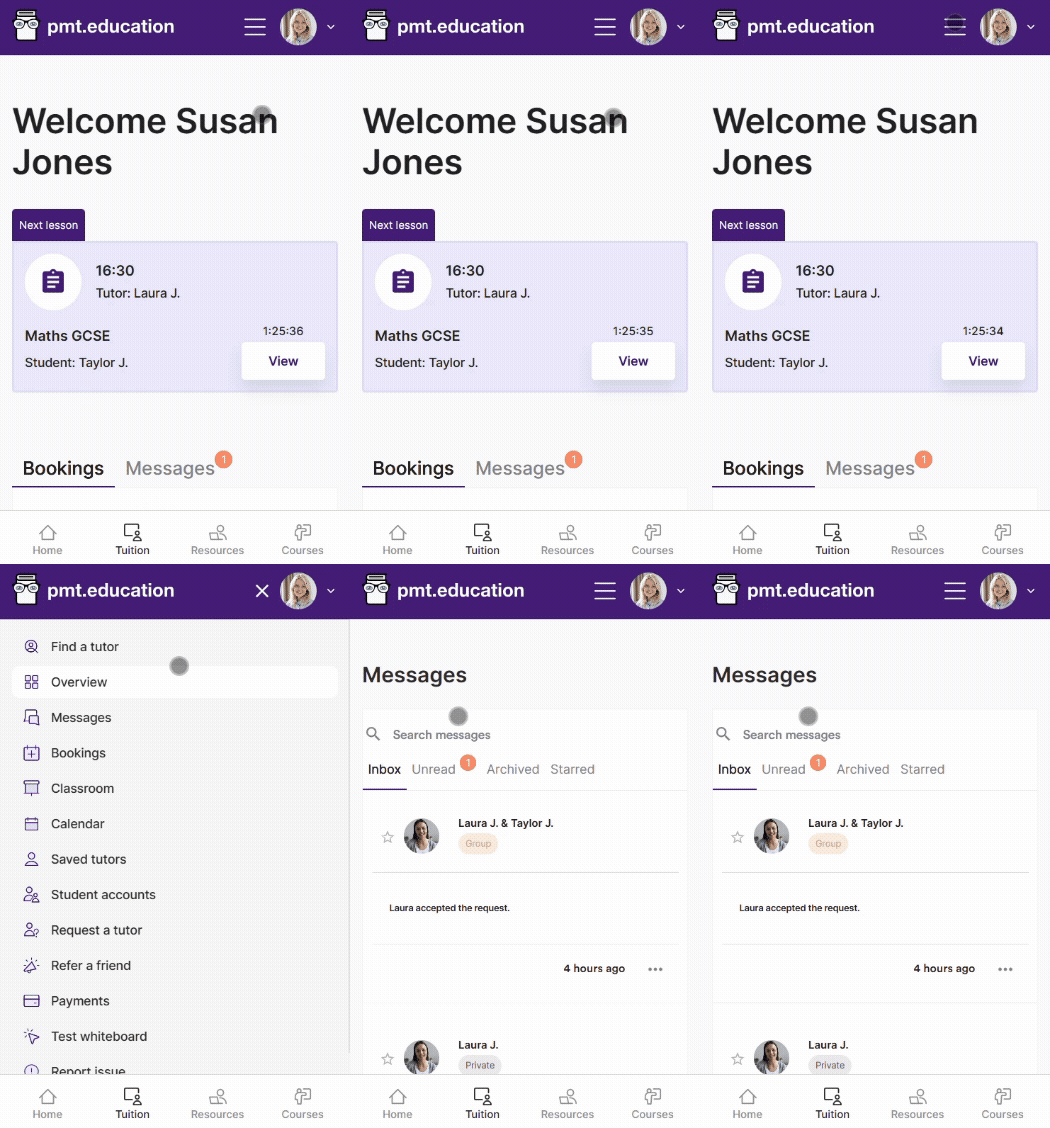
Billpayer account navigation guide
This guide gives an overview of the navigation in your billpayer account.
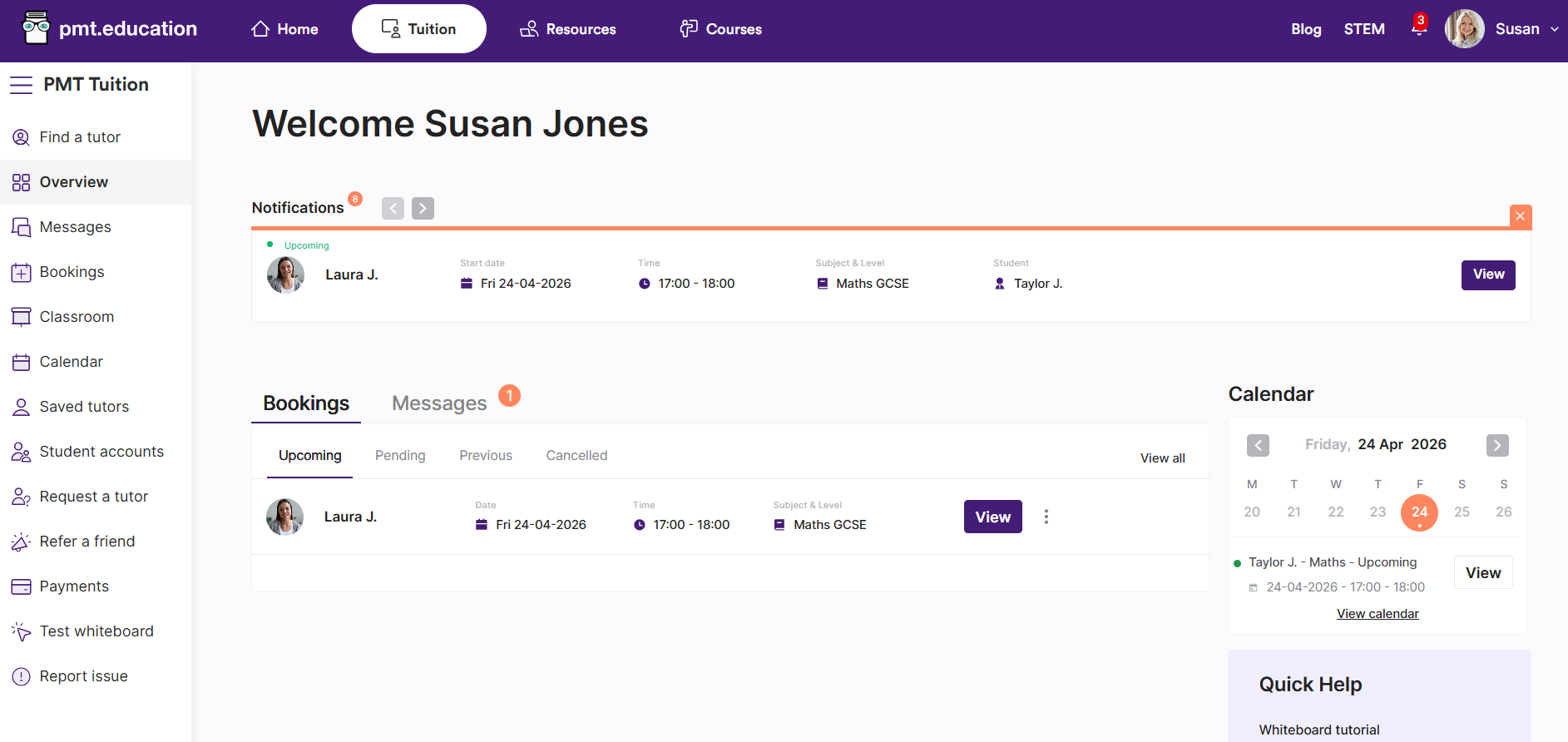
Your top navigation and dropdown

Your top navigation gives you access to all areas of PMT:
Home – your PMT overview
Tuition – access our tuition platform
Resources – our new resources platform
Courses – view the online courses we offer for students
You can also browse our Blog and STEM articles
You can view your notifications at any time using the bell icon.
From the account dropdown (top right), you can access:
Account – you can adjust your profile settings, for example, profile picture, name, contact information, time zone, linked student accounts and password settings
Support – find our dedicated Support FAQs
Log out – sign out of your account
Side navigation
Use the side navigation bar to move around the tuition platform. You can collapse it using the menu icon to create more space.
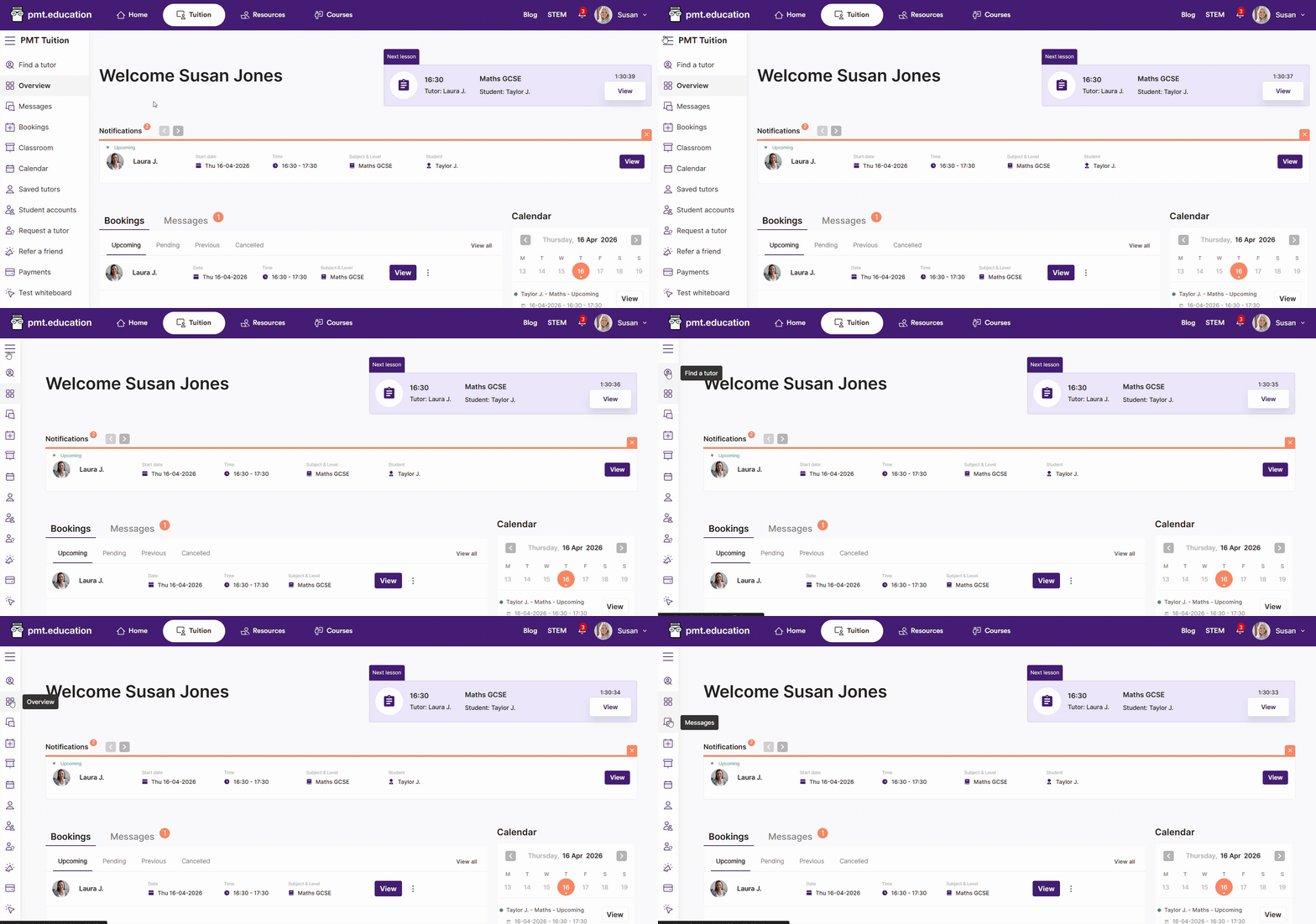
Find a Tutor - you can browse from our cohort of tutors here
Overview – your landing page, where you will find quick access to your Bookings and Messages
Messages – all your group and private chats with tutors
Bookings – a list of your Upcoming, Pending, Previous and Cancelled bookings.
Classroom – view your tutors and lessons. You can enter the Classroom for each lesson from here. You can learn more about the Classroom and it's features here.
Calendar – see a calendar view of all your bookings.
Saved tutors - any tutors you've favourited will appear here.
Student accounts - to manage your students or change their access controls, head here.
Request a tutor – you can request a tutor here and one of our team will find the right fit. You can find out more about our Request a tutor service in this FAQ.
Refer a friend – you and a friend can get £10 off a future lesson through our referral scheme. Find out more here.
Payments – all things payment related can be managed here. You can see your payment history and manage your payment methods.
Test whiteboard – test the features of the Lessonspace whiteboard before your first lesson. Watch our video tutorial to help get the most out of your lessons.
Report an issue – get help from our support team if you have any problems.
📱 Your mobile navigation
We’ve also updated the mobile experience to make it easier to move around the platform.
You can use the bottom navigation bar to quickly switch between key areas like Home, Tuition, and other PMT services.